
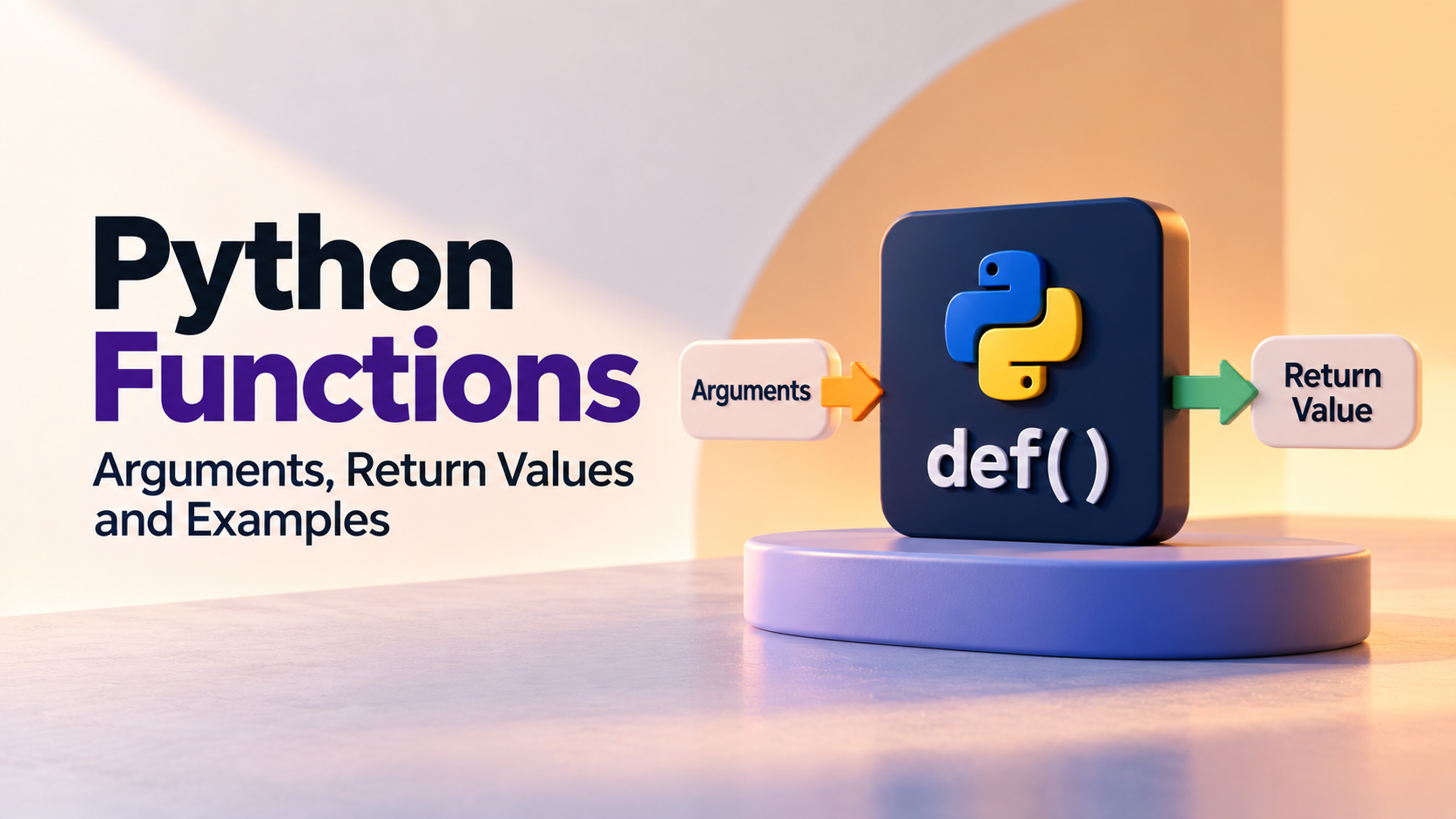
Python Functions: Arguments, Return Values and Examples
Python functions allow developers to organise code into reusable blocks that perform specific tasks. Instead of writing the same instructions repeatedly, a function can be defined once and called whenever that operation is required.
Functions become especially important as Python programs grow. They make code easier to read, test, debug and maintain while helping developers divide larger problems into smaller, manageable parts.
This guide explains how to define and call Python functions, use parameters and arguments, return values, work with default and keyword arguments, handle multiple values and avoid common beginner mistakes. A structured Python programming course can help learners practise these concepts while progressing toward complete applications.
What Is a Function in Python?
A function is a reusable block of code designed to perform a particular task.
For example, instead of writing a greeting multiple times:
print("Welcome to Python")
print("Welcome to Python")
print("Welcome to Python")
You can create a function:
def greet():
    print("Welcome to Python")
The function can then be called whenever needed:
greet()
greet()
greet()
This becomes much more useful when the function contains logic that would otherwise have to be repeated throughout a program.
Why Are Python Functions Important?
Functions help solve several common programming problems.
- Reduce repeated code
- Divide large programs into smaller parts
- Make code easier to read
- Make debugging more manageable
- Allow code to be reused
- Make testing individual operations easier
- Separate different responsibilities inside a program
For example, an expense application might have separate functions for adding an expense, calculating the total, finding the highest expense and displaying a report.
Creating a Python Function
A function is created using the def keyword.
def greet():
    print("Hello")
The general structure is:
def function_name():
    statements
The code inside the function must be indented.
Calling a Python Function
Defining a function does not automatically execute it. You need to call it.
def greet():
    print("Hello")

greet()
When Python reaches greet(), it executes the statements inside the function.
Functions with Parameters
A parameter allows information to be passed into a function.
def greet(name):
    print(f"Hello, {name}")

greet("Riya")
greet("Aman")
Here, name is the parameter and the values "Riya" and "Aman" are arguments passed to the function.
Parameters vs Arguments
These terms are related but describe different parts of a function call.
| Term | Meaning | Example |
|---|---|---|
| Parameter | Variable defined in the function | name in def greet(name): |
| Argument | Actual value supplied when calling the function | "Riya" in greet("Riya") |
Python Functions with Multiple Parameters
A function can accept more than one parameter.
def add_numbers(a, b):
    print(a + b)

add_numbers(10, 20)
The values are assigned to the parameters according to their position.
def student_details(name, age, course):
    print(name)
    print(age)
    print(course)

student_details("Riya", 20, "Python")
Returning Values from a Function
The return statement sends a result back to the part of the program that called the function.
def add_numbers(a, b):
    return a + b

result = add_numbers(10, 20)

print(result)
This is different from simply printing a value inside the function.
A returned value can be stored, passed to another function or used in another expression.
def calculate_total(price, quantity):
    return price * quantity

total = calculate_total(500, 3)

print(total)
print() vs return
Beginners often confuse printing a result with returning a result.
def add_and_print(a, b):
    print(a + b)
This function displays the result but does not provide the result back to the calling code.
A returning function is more reusable:
def add_numbers(a, b):
    return a + b

result = add_numbers(10, 20)
double_result = result * 2

print(double_result)
When the result needs to be used elsewhere in the program, returning it is generally more useful than printing it directly.
Python Functions with Default Arguments
A parameter can have a default value.
def greet(name="Student"):
    print(f"Hello, {name}")

greet()
greet("Riya")
If no argument is supplied, the default value is used.
Keyword Arguments in Python
Arguments can be passed using parameter names.
def student_details(name, age, course):
    print(name, age, course)

student_details(
    name="Riya",
    age=20,
    course="Python"
)
Keyword arguments can make function calls easier to read, particularly when a function has several parameters.
Positional Arguments
Arguments can also be passed according to their position.
def student_details(name, age):
    print(name)
    print(age)

student_details("Riya", 20)
The first value is assigned to name and the second to age.
Combining Positional and Keyword Arguments
Python allows positional and keyword arguments to be used together, provided they follow the language's argument-order rules.
def student_details(name, age, course):
    print(name, age, course)

student_details("Riya", age=20, course="Python")
Using descriptive keyword arguments can improve readability when the purpose of values is not immediately obvious.
Returning Multiple Values
A Python function can return multiple values.
def calculate(a, b):
    total = a + b
    difference = a - b
    return total, difference

total, difference = calculate(20, 8)

print(total)
print(difference)
Python handles these returned values as a tuple, which can then be unpacked into separate variables.
Functions Without Arguments
Not every function needs parameters.
def show_menu():
    print("1. Add")
    print("2. View")
    print("3. Exit")

show_menu()
This can be useful for reusable operations that do not depend on external values.
Functions with Conditional Logic
Functions can contain conditions just like any other Python code.
def check_result(marks):
    if marks >= 40:
        return "Pass"
    else:
        return "Fail"

result = check_result(75)

print(result)
This makes the decision reusable for different students or different sets of marks.
Functions with Loops
Functions can also contain loops.
def calculate_total(numbers):
    total = 0

    for number in numbers:
        total += number

    return total

numbers = [10, 20, 30, 40]

print(calculate_total(numbers))
This demonstrates how functions can combine several Python concepts into a reusable operation.
Passing Lists to Functions
Collections such as lists can be passed as arguments.
def display_students(students):
    for student in students:
        print(student)

students = ["Riya", "Aman", "Neha"]

display_students(students)
This is useful when a function needs to process a collection rather than a single value.
Passing Dictionaries to Functions
Dictionaries can also be passed to functions.
def display_student(student):
    print(f"Name: {student['name']}")
    print(f"Course: {student['course']}")

student = {
    "name": "Riya",
    "course": "Python"
}

display_student(student)
This pattern becomes useful in applications where functions operate on structured records.
Variable-Length Arguments
Sometimes a function needs to accept an unknown number of positional arguments. Python provides *args for this situation.
def calculate_total(*numbers):
    total = 0

    for number in numbers:
        total += number

    return total

print(calculate_total(10, 20))
print(calculate_total(10, 20, 30, 40))
The *args parameter collects the supplied positional arguments into a tuple.
Keyword Variable-Length Arguments
The **kwargs syntax can collect an arbitrary number of keyword arguments.
def display_details(**details):
    for key, value in details.items():
        print(key, value)

display_details(
    name="Riya",
    age=20,
    course="Python"
)
This can be useful when a function needs flexible named information, although it should not be used simply to make a function's interface unclear.
Local Variables and Function Scope
A variable created inside a function is generally local to that function.
def calculate():
    result = 100
    print(result)

calculate()
The variable result is created inside the function and is not automatically available outside it.
Keeping variables local when possible helps reduce unexpected interactions between different parts of a program.
Why Function Design Matters
Creating a function does not automatically make code well designed. A function should ideally have a clear responsibility.
For example, instead of creating one very large function that accepts input, calculates values, writes files and displays reports, those responsibilities can often be separated.
def get_marks():
    pass

def calculate_average(marks):
    pass

def display_result(average):
    pass
Separating responsibilities can make each part easier to test and modify.
Practical Example: Student Grade Function
A grade calculation can be turned into a reusable function.
def calculate_grade(marks):
    if marks >= 90:
        return "A+"
    elif marks >= 80:
        return "A"
    elif marks >= 70:
        return "B"
    elif marks >= 60:
        return "C"
    elif marks >= 40:
        return "D"
    else:
        return "F"

marks = float(input("Enter marks: "))

grade = calculate_grade(marks)

print(f"Grade: {grade}")
The decision logic is now separated from the input and output code. This means the same function can be reused by another part of the application.
Practical Example: Expense Calculator
Functions can also be used to process application data.
def calculate_total(expenses):
    total = 0

    for expense in expenses:
        total += expense

    return total

def calculate_average(expenses):
    if len(expenses) == 0:
        return 0

    return calculate_total(expenses) / len(expenses)

expenses = [500, 250, 800, 350]

total = calculate_total(expenses)
average = calculate_average(expenses)

print(f"Total: {total}")
print(f"Average: {average:.2f}")
Here, one function reuses another function. This illustrates how functions can be combined to create a more organised program.
Common Python Function Mistakes
- Defining a function but forgetting to call it.
- Using the wrong number of arguments.
- Confusing parameters with arguments.
- Forgetting the
returnstatement when a result is required. - Expecting
print()to return a usable value. - Using variables outside the scope where they were created.
- Creating functions that perform too many unrelated tasks.
- Using complicated argument structures when a simpler interface would work.
How to Debug a Python Function
When a function produces an unexpected result, test the function independently before examining the entire application.
def calculate_discount(price, discount):
    return price - (price * discount / 100)

print(calculate_discount(1000, 10))
print(calculate_discount(500, 20))
Testing a few known inputs can help determine whether the problem is inside the function or in the code that calls it.
You can also temporarily print values inside the function:
def calculate_discount(price, discount):
    print("Price:", price)
    print("Discount:", discount)

    return price - (price * discount / 100)
This can reveal incorrect inputs or unexpected values during debugging.
How to Decide What Should Become a Function
A useful question is whether a block of logic has a clear purpose that may need to be reused or tested separately.
For example:
- Calculate a total.
- Validate an email.
- Calculate a grade.
- Display a menu.
- Search for a student.
- Calculate a discount.
- Format a report.
These are all potential function responsibilities because each describes a specific operation.
Python Functions and Code Reusability
Suppose an application calculates discounts in five different places. If the discount formula is written separately in each location, changing the formula later can require editing several sections.
A function can centralise the logic:
def calculate_discount(amount, percentage):
    return amount * percentage / 100
Different parts of the program can then call the same function.
This reduces duplication and makes future changes easier to manage.
Python Functions Practice Questions
Practise functions by creating small reusable operations.
- Create a function that prints a welcome message.
- Create a function that adds two numbers.
- Create a function that checks whether a number is even.
- Create a function that returns the largest of two numbers.
- Create a function that calculates a student's average.
- Create a function that calculates a discount.
- Create a function that counts vowels in a string.
- Create a function that calculates the total of a list.
- Create a function that searches for a value in a list.
- Create a small application divided into multiple functions.
What to Learn After Python Functions
Functions provide the foundation for organising larger Python programs. Once you understand parameters, arguments, return values and scope, the next concepts can be introduced progressively.
- Modules and packages
- Exception handling
- File handling
- Object-oriented programming
- Database connectivity
- APIs
- Testing
- Project development
The objective is to move from writing individual functions to designing applications where multiple functions work together.
Why Choose Upskill Now for Learning Python?
Functions are one of the points where Python learning begins to shift from individual syntax exercises toward application development. Learners need opportunities to decide how a problem should be divided into reusable pieces rather than simply copying function examples.
Upskill Now's Python program progresses from Python fundamentals and programming logic into data structures, object-oriented programming, file handling, exception management, databases, automation and APIs.
The project-based curriculum provides opportunities to apply functions in practical systems. A Student Management System, Expense Tracker, Library Management System or Employee Database Management application can be divided into separate operations instead of being written as one long block of code.
The program also includes tools such as Python 3, VS Code, PyCharm, MySQL, Git and GitHub, REST APIs and command-line tools, helping learners understand how Python development fits into a broader workflow.
How Upskill Now Connects Functions to Projects
| Python Concept | Function Example | Possible Project Use |
|---|---|---|
| Parameters | Pass values into reusable logic | Process different students or transactions |
| Return values | Send calculated results back | Totals, grades and reports |
| Functions with collections | Process lists or dictionaries | Student, employee or expense records |
| Multiple functions | Divide an application into responsibilities | Management systems and larger applications |
| Functions with external tools | Connect application logic with files, databases or APIs | Practical Python applications |
For learners who want to move from basic Python concepts toward structured application development, Upskill Now's Python training can be evaluated based on its curriculum, projects and learning format.
How to Practise Python Functions Effectively
Start by taking small pieces of logic and turning them into functions.
For example, instead of repeatedly writing:
total = price * quantity
print(total)
create a reusable operation:
def calculate_total(price, quantity):
    return price * quantity
Then test it with different values:
print(calculate_total(100, 2))
print(calculate_total(250, 4))
print(calculate_total(500, 3))
After that, combine functions with lists, dictionaries, loops and conditions. This gradually builds the ability to structure larger programs.
Conclusion
Python functions are essential for writing reusable, organised and maintainable programs. Parameters allow functions to receive information, arguments provide actual values, and return statements allow functions to send results back to the calling code.
The most important skill is learning how to divide a problem into meaningful operations. A good function should have a clear purpose and should make the surrounding program easier to understand.
As you progress toward file handling, databases, APIs and larger projects, functions become the foundation for organising application logic. A structured learning path such as Upskill Now's Python program can help connect these fundamentals with practical project development.
Contact Upskill Now
A-3, Third Floor, Rajouri Garden, New Delhi – 110027
Phone: 9999848160 | 9711448765
Email: connect@upskillnow.in