
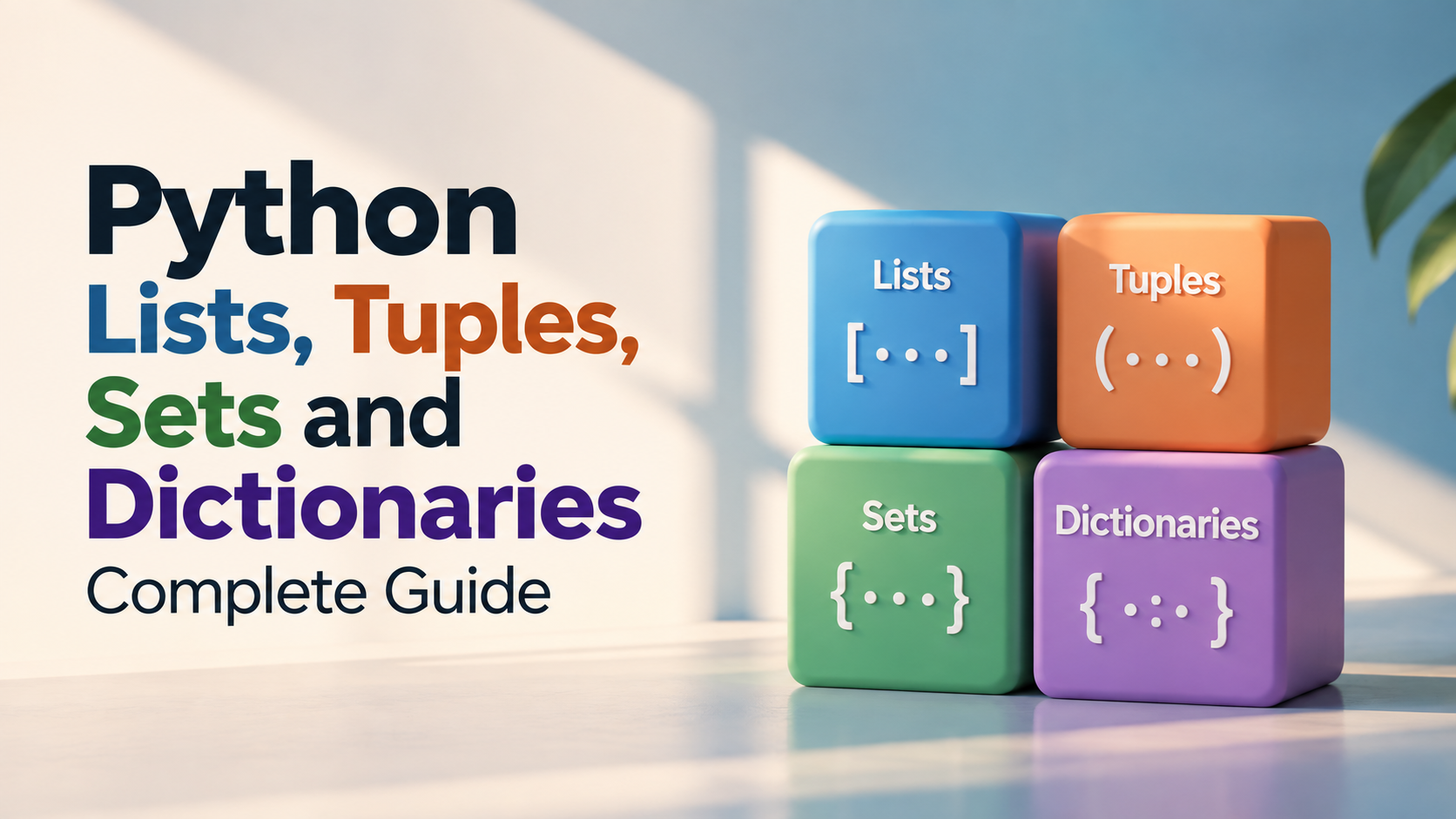
Python Lists, Tuples, Sets and Dictionaries: Complete Guide
Python lists, tuples, sets and dictionaries are fundamental data structures used to store and organise multiple values. Once variables and basic operators become comfortable, learning how to work with collections is one of the most important steps toward writing useful Python programs.
Although these four data structures can all store multiple values, they are designed for different situations. Lists are useful for ordered collections that may change, tuples are useful for ordered collections that generally should remain fixed, sets are useful when unique values matter, and dictionaries are designed around key-value relationships.
This guide explains their differences, syntax, common operations, practical examples, selection criteria and common beginner mistakes. A structured Python programming course can help learners practise these structures through progressively larger programs.
What Are Python Data Structures?
A data structure is a way of organising and storing information so that a program can work with it efficiently.
Consider a student management application. Instead of creating a separate variable for every student:
student1 = "Riya"
student2 = "Aman"
student3 = "Neha"
you could store the students together:
students = ["Riya", "Aman", "Neha"]This makes it possible to loop through the values, search them, add new values and perform other operations more systematically.
Python Collection Types at a Glance
| Data Structure | Ordered | Changeable | Allows Duplicates | Best For |
|---|---|---|---|---|
| List | Yes | Yes | Yes | General collections that change |
| Tuple | Yes | No | Yes | Fixed groups of values |
| Set | No guaranteed sequence order | Yes | No | Unique values and membership checks |
| Dictionary | Insertion order preserved | Yes | Keys must be unique | Key-value information |
Python Lists
A list stores multiple values in an ordered and changeable collection.
students = ["Riya", "Aman", "Neha"]Lists use square brackets.
A list can contain different types of values:
student = ["Riya", 20, 85.5, True]In practical programs, however, keeping related data organised and predictable usually makes the code easier to understand.
Accessing List Elements
List elements are accessed using indexes. Python uses zero-based indexing, so the first element has index 0.
students = ["Riya", "Aman", "Neha"]

print(students[0])
print(students[1])
print(students[2])
Negative indexes can be used to access elements from the end.
print(students[-1])This returns the last item in the list.
Changing List Elements
Lists are mutable, which means their elements can be changed.
students = ["Riya", "Aman", "Neha"]

students[1] = "Karan"

print(students)
The second element is replaced with Karan.
Adding Elements to a List
The append() method adds an item to the end of a list.
students = ["Riya", "Aman"]

students.append("Neha")

print(students)
The insert() method adds an item at a particular position.
students.insert(1, "Karan")

print(students)
Removing Elements from a List
The remove() method removes a specific value.
students = ["Riya", "Aman", "Neha"]

students.remove("Aman")

print(students)
The pop() method removes an element using its index, or the last item when no index is provided.
students.pop()

print(students)
Finding the Length of a List
The len() function returns the number of elements.
students = ["Riya", "Aman", "Neha"]

print(len(students))
This is particularly useful when working with loops and calculations.
Looping Through a List
Lists work naturally with for loops.
students = ["Riya", "Aman", "Neha"]

for student in students:
    print(student)
For example, a list of marks can be processed to calculate a total:
marks = [75, 82, 91, 68]

total = 0

for mark in marks:
    total += mark

print(total)
List Slicing
Slicing allows you to extract part of a list.
numbers = [10, 20, 30, 40, 50]

print(numbers[1:4])
The result contains the elements from index 1 up to, but not including, index 4.
When Should You Use a List?
A list is usually a good choice when:
- The order of values matters.
- Values may need to be added or removed.
- Duplicate values are acceptable.
- You need to process the values sequentially.
Examples include student names, product prices, shopping items, marks and task lists.
Python Tuples
A tuple is an ordered collection whose elements cannot normally be changed after creation.
coordinates = (28.6139, 77.2090)Tuples use parentheses.
Because tuples are immutable, this is not allowed:
coordinates = (28.6139, 77.2090)

coordinates[0] = 30
Attempting to change an element produces an error.
Why Use Tuples?
Tuples are useful when values represent a fixed group of related information.
For example:
date_of_birth = (15, 8, 2005)The day, month and year form a group that may be treated as a single value.
Tuples can also be useful when you want to communicate through the structure of the program that a collection should not be modified.
Accessing Tuple Elements
Tuple indexing works in the same way as list indexing.
colors = ("red", "blue", "green")

print(colors[0])
print(colors[-1])
Tuple Unpacking
Python allows tuple values to be assigned to multiple variables.
student = ("Riya", 20, "Python")

name, age, course = student

print(name)
print(age)
print(course)
This is known as unpacking and can make code clearer when a fixed group of values is returned or stored together.
Python Sets
A set is a collection designed to store unique values.
numbers = {10, 20, 30, 20, 10}

print(numbers)
Duplicate values are automatically removed.
Sets are particularly useful when uniqueness is the main requirement.
Adding and Removing Set Values
The add() method adds an element.
skills = {"Python", "Java"}

skills.add("SQL")

print(skills)
The remove() method removes an element.
skills.remove("Java")

print(skills)
The discard() method can be useful when you want to avoid an error if the item is not present.
skills.discard("C++")Set Operations
Sets support mathematical-style operations that are useful for comparing groups of values.
python_students = {"Riya", "Aman", "Neha"}
java_students = {"Aman", "Karan", "Neha"}

print(python_students & java_students)
print(python_students | java_students)
The & operation finds the intersection, while | combines the values into a union.
When Should You Use a Set?
A set is useful when:
- Duplicate values should be removed.
- You need to check membership efficiently.
- You want to compare groups of unique values.
- The position of each value is not the main concern.
For example, if a system receives repeated category names from multiple records and only the unique categories are required, a set may be appropriate.
Python Dictionaries
A dictionary stores information as key-value pairs.
student = {
    "name": "Riya",
    "age": 20,
    "course": "Python"
}
Instead of accessing information by numeric position, a dictionary allows you to use meaningful keys.
print(student["name"])
print(student["course"])
This makes dictionaries especially useful for representing structured information.
Adding and Updating Dictionary Values
You can add a new key-value pair:
student["city"] = "Delhi"You can also update an existing value:
student["age"] = 21The same syntax can therefore be used for both adding and updating values.
Removing Dictionary Values
The pop() method can remove a key and return its value.
student.pop("city")The del statement can also remove a key:
del student["age"]Checking Whether a Key Exists
You can use the in operator to check whether a key exists.
student = {
    "name": "Riya",
    "course": "Python"
}

if "course" in student:
    print("Course information available")
This is useful when working with information that may not always contain every possible field.
Looping Through a Dictionary
The items() method allows you to process keys and values together.
student = {
    "name": "Riya",
    "age": 20,
    "course": "Python"
}

for key, value in student.items():
    print(key, value)
You can also iterate over only the keys or values.
for key in student.keys():
    print(key)

for value in student.values():
    print(value)
Nested Dictionaries
Dictionaries can contain other dictionaries, which makes them useful for representing more complex information.
students = {
    "student1": {
        "name": "Riya",
        "age": 20
    },
    "student2": {
        "name": "Aman",
        "age": 21
    }
}

print(students["student1"]["name"])
Nested structures are common when applications need to represent related records.
List vs Tuple vs Set vs Dictionary
Choosing a data structure should depend on how the information needs to be used rather than simply which syntax appears easiest.
| Requirement | Recommended Structure | Reason |
|---|---|---|
| Ordered values that change | List | Easy to modify and iterate |
| Fixed ordered values | Tuple | Values cannot normally be changed |
| Only unique values matter | Set | Duplicates are removed |
| Information identified by names | Dictionary | Uses meaningful keys |
Practical Example: Student Records
Suppose a program needs to store several students and their details.
students = [
    {
        "name": "Riya",
        "age": 20,
        "course": "Python"
    },
    {
        "name": "Aman",
        "age": 21,
        "course": "Java"
    }
]

for student in students:
    print(student["name"])
    print(student["course"])
This example combines a list and dictionaries. The list represents multiple student records, while each dictionary represents one student's details.
This pattern is much closer to how collections appear in practical applications than isolated examples containing only a few values.
Practical Example: Removing Duplicate Values
Suppose a program receives repeated course names:
courses = [
    "Python",
    "Java",
    "Python",
    "C++",
    "Java"
]

unique_courses = set(courses)

print(unique_courses)
Converting the list into a set provides a simple way to obtain unique values.
Practical Example: Product Prices
A dictionary can represent products and their prices.
products = {
    "Laptop": 55000,
    "Tablet": 25000,
    "Keyboard": 1500
}

print(products["Laptop"])
You can combine this with loops and conditions to build a simple product-processing program.
Common Beginner Mistakes with Python Collections
- Trying to access a list using a dictionary-style key.
- Using an index that does not exist in a list or tuple.
- Expecting a set to preserve a specific sequence for positional access.
- Forgetting that duplicate set values are automatically removed.
- Trying to modify a tuple.
- Using a dictionary key that does not exist without handling the possibility.
- Choosing a data structure based only on syntax instead of the problem requirement.
How to Choose the Right Python Data Structure
A useful decision process is to ask four questions.
- Does the order of values matter?
- Do the values need to change?
- Are duplicate values acceptable?
- Do values need to be identified using meaningful keys?
For example, a shopping cart may naturally use a list because products can be added or removed and order may matter. A collection of unique skills may be better represented as a set. A student's fixed coordinates may be represented as a tuple, while a student's profile is naturally represented as a dictionary.
Python Collections and Loops
Data structures become much more useful when combined with loops.
students = ["Riya", "Aman", "Neha"]

for student in students:
    print(f"Welcome {student}")
Dictionaries can also be processed using loops:
marks = {
    "Maths": 85,
    "Science": 90,
    "English": 78
}

for subject, mark in marks.items():
    print(f"{subject}: {mark}")
This combination of collections and loops forms the basis for many practical Python programs.
Python Collections Practice Questions
After learning the four major collection types, practise problems that require you to choose the structure yourself.
- Create a list of five student names and print each name.
- Add and remove products from a shopping list.
- Create a tuple containing three coordinates.
- Remove duplicate numbers from a list using a set.
- Find common values between two sets.
- Create a dictionary containing student details.
- Update a student's marks in a dictionary.
- Loop through a dictionary and display all key-value pairs.
- Create a list containing multiple student dictionaries.
- Build a small student record program using collections.
What to Learn After Python Collections
Once lists, tuples, sets and dictionaries become comfortable, the next step is to learn how to process these structures more effectively.
- Functions
- List and dictionary methods
- Comprehensions
- Exception handling
- File handling
- Modules and packages
- Object-oriented programming
- Databases
- APIs
- Projects
The goal should be to move from storing information to building programs that manipulate and use that information.
Why Choose Upskill Now for Learning Python?
Data structures are much easier to understand when learners use them to solve practical problems. Memorising the methods of a list or dictionary is less useful than knowing why a particular structure should be selected for an application.
Upskill Now's Python program progresses from fundamentals and programming logic into data structures, object-oriented programming, file handling, exception management, databases, automation and APIs.
The project-based approach gives learners opportunities to apply collections in realistic contexts. A Student Management System can use lists and dictionaries to represent records, while an Expense Tracker can organise transactions and calculate totals. Larger projects can then introduce databases and APIs.
The program also includes practical development tools such as Python 3, VS Code, PyCharm, MySQL, Git and GitHub, REST APIs and command-line tools.
How Upskill Now Connects Data Structures to Projects
| Concept | Beginner Practice | Practical Use |
|---|---|---|
| Lists | Store and process multiple values | Student lists, expenses and products |
| Tuples | Store fixed groups of values | Coordinates and fixed records |
| Sets | Remove duplicates and compare groups | Unique categories and membership checks |
| Dictionaries | Store key-value information | Profiles and structured records |
| Combined structures | Represent related data | Management systems and larger applications |
For learners who want to move from Python syntax into practical data handling, Upskill Now's Python training can be considered based on its curriculum, projects and learning format.
How to Practise Python Data Structures Effectively
Do not try to memorise every method at once. Start with the operation you need for a particular problem.
For example, if you need to:
- Add an item to a list, learn
append(). - Remove a list item, practise
remove()orpop(). - Find unique values, consider a set.
- Store information using labels, consider a dictionary.
- Keep a fixed group of values together, consider a tuple.
This problem-first approach makes it easier to remember the purpose of each structure instead of treating Python methods as disconnected commands.
Conclusion
Lists, tuples, sets and dictionaries are four of the most important Python data structures. Each has a different purpose: lists provide flexible ordered collections, tuples represent fixed ordered groups, sets focus on unique values and dictionaries organise information through key-value relationships.
The most important skill is not simply knowing the syntax. It is being able to look at a programming problem and decide which data structure best represents the information involved.
As you progress into loops, functions, file handling, databases and APIs, these structures will become building blocks for larger applications. A structured program such as Upskill Now's Python program can help learners connect these fundamentals with practical projects and progressively more advanced development concepts.
Contact Upskill Now
A-3, Third Floor, Rajouri Garden, New Delhi – 110027
Phone: 9999848160 | 9711448765
Email: connect@upskillnow.in